News
Lucky Wheel: a decision wheel for lunch, chores and who goes first
Type your options, tap the wheel and let it pick. How the four modes work, how to build your own wheels, and a few ways to use it at home, in class and with friends.
"What's for lunch?" "Whose turn is it?" "Which team goes first?" Lucky Wheel is a decision wheel for these small questions. Type your options, tap the wheel, and the pointer stops on one answer. It is on Google Play (button on the game page), and you can also open it in your browser.
How a spin works
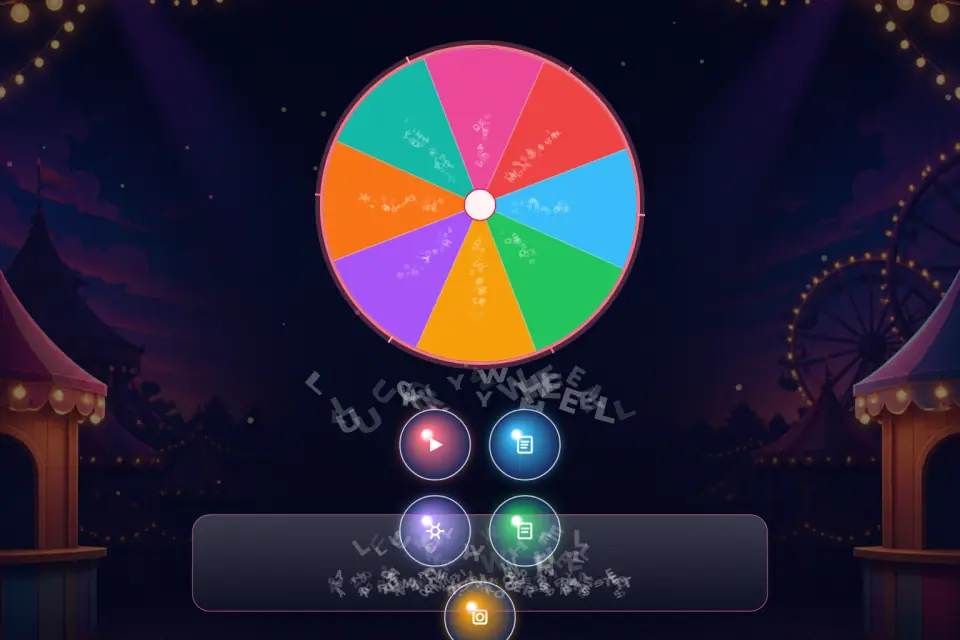
Open Play and tap the wheel, or press Space or Enter on a keyboard. The wheel speeds up, slows down and stops on one entry. The result appears in a large card that you can copy or share, and every spin is saved in History.
Four modes
- Classic: every entry can come up on every spin.
- Mystery: labels stay hidden as question marks until the wheel stops. Good for surprises at a party.
- Elimination: a picked entry leaves the round. You choose whether it stays visible, is dimmed or is removed from the wheel.
- No repeat: every entry is picked once before any entry can come up again, and a counter shows how far the round has got.
Build your own wheel
A wheel holds up to 64 entries. For each one you can change the label and color and add one of 32 small symbols. A weight from 1 to 10 makes an entry's slice bigger, and the slice you see is how often it comes up. Bulk edit takes a whole list at once (one entry per line, Name|3 for weight 3), and Shuffle and Duplicate take one tap each.
If you'd rather not start from scratch, there are 16 ready templates, among them Lunch, Chores, Teams, Weekdays, Workout, Study subjects, Classroom roles and Icebreakers. They switch to your language when you apply them. Keep up to 20 named wheels, such as "Class 5B", "Dinner ideas" or "Family chores", and move between them in one tap.
Make it yours
Choose a short, normal or long spin, or use manual stop: tap a second time to start slowing the wheel. There are five looks (Classic, Neon, Wood, Crystal and Ribbon) and seasonal effects from spring blossoms to winter snow. History shows your total spins, how many different results came up and which entry was picked most often, and you can export it as a CSV file.
Ideas
- In class: use No repeat to call on students, so everyone gets one turn before the round starts over.
- At home: a "Family chores" wheel in Elimination mode shares out jobs without anyone getting the same one twice.
- With friends: let the wheel settle where to eat, or switch to Mystery to keep the answer hidden until the last moment.
Your wheels and history stay on your device, and no account is needed. The app comes in eight languages.